

Refer a company
Share your own link. A company that signs up through it gets its first paid month free, and you get a share of what it pays in its first year as credit on your invoices.
If your organisation pays Footer365 directly, you have your own referral link. Share it with another company. If that company signs up through it, it gets its first paid month free, and you get a share of what it pays in its first year as credit on your own invoices. Nothing is ever paid out in money: your reward is always a credit on your invoices. The scheme's rules are the Referral Terms, which form part of your Customer Agreement while you take part.
Footer365 makes the Refer a company page available to organisations gradually, so it may not be in your portal yet. See Early access pages and features.
Who can do this
The page is under Billing > Refer a company (open it). You need the View billing permission to see it, and Manage billing to change whether your organisation's name is shown. The built-in Billing role and Super Admins have both.
Your link is offered once your free trial has ended and your paid subscription has started. While you are still in your trial, the page says Your link is ready once your subscription starts. If your billing runs through a reseller, Footer365's referral scheme does not apply to you, the page is not in your sidebar, and if you open it, it says Your billing runs through your reseller. When Footer365 has no scheme open, the page says Referrals are not open at the moment.
Share your link
- Go to Billing > Refer a company.
- Under Your link, select Copy.
- Send the link to the company you are recommending, by email or however you like.
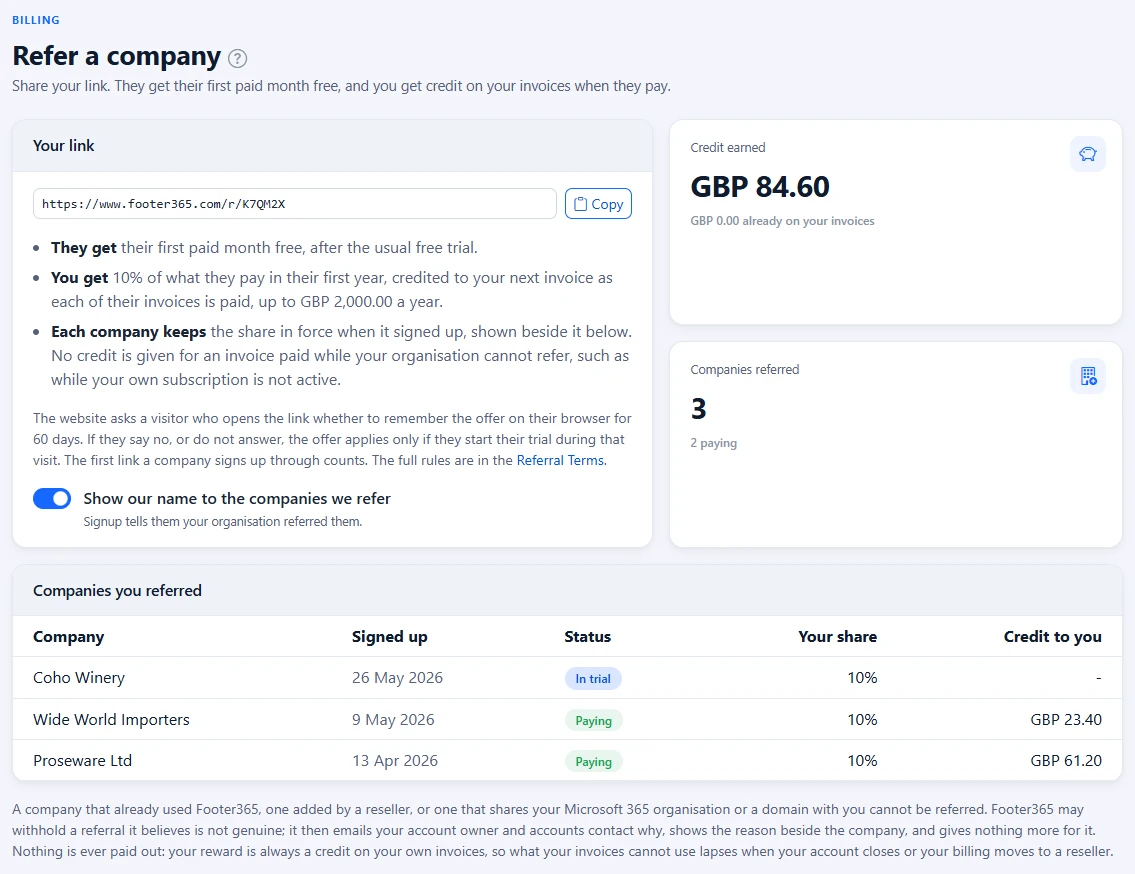
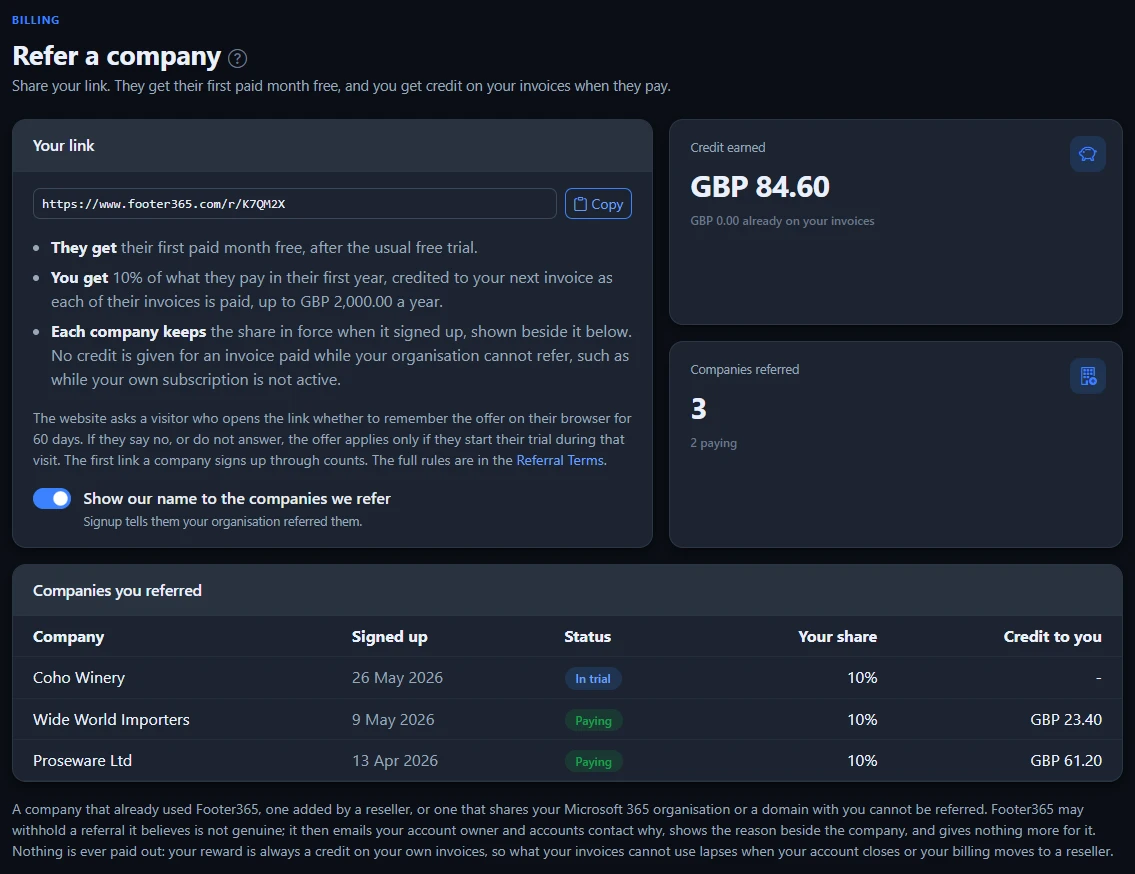
The link opens the Footer365 website, which asks the visitor whether to remember your offer on their browser for the number of days the page shows, 60 when the scheme opened. If they say yes, the company can look around and sign up later. If they say no, or do not answer, nothing is stored on their device, and your offer applies only if they start their free trial from the website during that visit. A visitor who said yes can forget the offer from the foot of any page of the website. If a company opens more than one customer's link, the one from the visit it signs up in is used, otherwise the last one it chose to remember, and the first link a company signs up through is the one that counts.
Show your name, or not
By default, a company signing up through your link is told it was referred by "a Footer365 customer". Turn on Show our name to the companies we refer and signup tells them your organisation's name instead, under Referred by. It saves as soon as you change it.
What each side gets
- The company you refer gets its first paid month free, after its free trial. Once its paid subscription starts, one month at its price and number of users is taken off its first invoice, as a line reading "Referral offer: first paid month free".
- You get the share the page shows of each invoice the company pays in its first twelve months of billing, before VAT. It is credited on your next invoice once each of its invoices is paid, as a line reading "Referral credit:" followed by the company's name and its invoice number. Credits stop for the year at the yearly limit the page shows.
The share and the limit that apply are the ones in force when the company signed up, even if Footer365 changes them later. The list of companies you referred shows each one's share under Your share.
No credit is given for an invoice the company pays while your organisation cannot refer, for example while your own subscription is not active after a missed payment, or once a reseller bills you. This is judged by the day the invoice was paid, so an invoice paid during such a spell earns nothing even after your organisation can refer again, and one paid before it still earns its credit.
If one of the company's invoices is later credited or refunded, the part of your credit that came from it is taken back on your next invoice, as a line reading "Referral credit taken back". Nothing is credited for money the company never paid.
Footer365 works out the credits once a day, so a credit can take a day to appear on the page after the company's invoice is paid.
Your figures
- Credit earned is everything you have been credited so far, after anything taken back, with how much of it your invoices have already taken.
- Companies referred is how many companies have signed up through your link, and how many of them are paying.
- Companies you referred lists each one with the date it signed up, where it stands, Your share of its invoices and the Credit to you it has earned. A referral that is Not allowed or Withheld shows the reason under its status.
| Status | What it means |
|---|---|
| In trial | It has signed up and is in its free trial, or has not finished setting up. |
| Paying | Its paid subscription has started. Its paid invoices in its first year earn you credit. |
| Ended | Its subscription has ended. Credit already given stays. |
| Not allowed | The referral breaks one of the rules below, so nothing is given for it on either side. |
| Withheld | Footer365 has stopped the referral because it believes it is not genuine or is an abuse of the scheme. Your account owner and accounts contact are emailed the reason, which also shows under the status. Nothing more is given for it on either side, and credit already given stays. |
Who cannot be referred
A referral is Not allowed when the company:
- signed up from your own Microsoft 365 organisation
- shares a domain with your organisation, including one found later when its domains are read from Microsoft 365
- has had a Footer365 free trial before
- was already known to Footer365, or was added by a reseller
A company that buys through a reseller is billed by its reseller, so Footer365 has no invoice of its to credit.
Good to know
- Referral credit has no cash value. If your account closes, your final invoice uses as much of it as it can, and whatever is left lapses. It is never refunded.
- If your organisation moves to a reseller, no further referral credit is given, because Footer365 no longer invoices you. Credit that none of Footer365's invoices has used by then lapses, and it is never put on your reseller's invoice. Credits already on your invoices stay.
- A credit larger than an invoice is carried to the next one, as "Credit carried forward". See Invoices and VAT.
- Changes to whether your name is shown, new referrals and every credit given or taken back are recorded in the audit log, if your account has one.
Related articles
Still stuck?
Tell us what you were trying to do and what you saw. Include the sender, a recipient and roughly when a message was sent, and we can trace it.